
Logitech SmartDock (Used with Microsoft Surface Pro)
-100 %


Quick Compare
| Product Details | ||||
| Product | Logitech SmartDock (Used with Microsoft Surface Pro) | Logitech 960-001184 PTZ Pro 2 Video Conference Camera (Camera of Logitech Group) | Logitech Meetup Video Conference Camera (960-001101) | Logitech Expantion Mic for Meetup Cam (989-000405) |
| Image |  |
 |
 |
 |
| Price | |
|
|
|
| Model | 960-001110 | 960-001184 | Logitech Meetup Video Conference Camera | 989-000405 |
| Brand | Logitech | Logitech | Logitech | Logitech |
| Availability | In Stock | In Stock | In Stock | In Stock |
| Rating | Based on 0 reviews. |
Based on 0 reviews. |
Based on 0 reviews. |
Based on 0 reviews. |
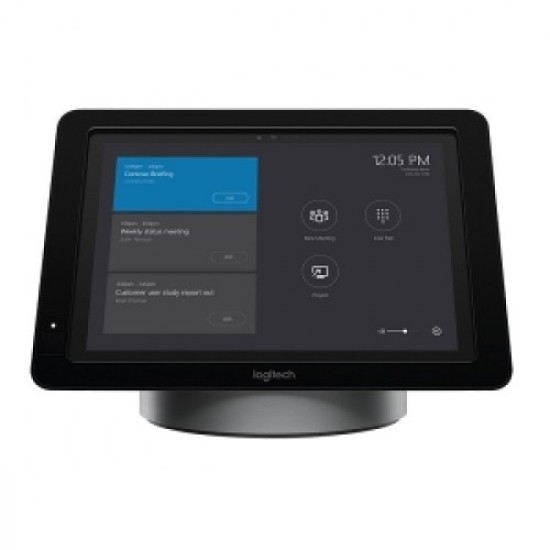
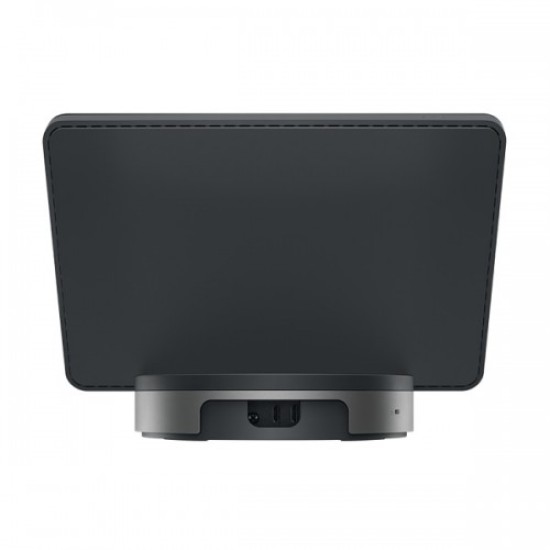
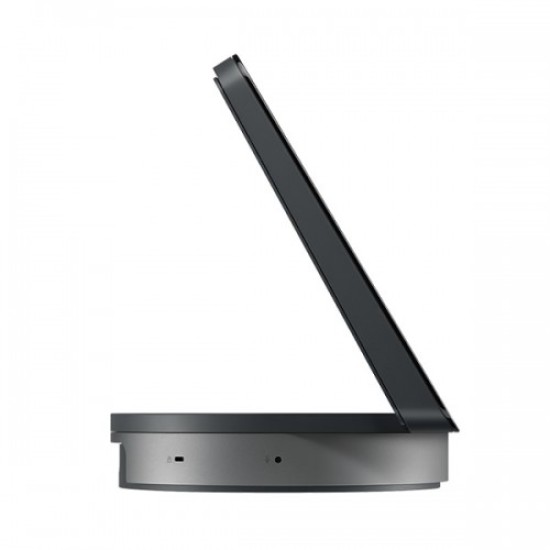
| Summary | Product Description: -Logitech Smart Dock (Used with Microsoft Surface Pro)Walk into a conference room and instantly launch your meeting using the high performance, easy-to-use Logitech Smart Dock. Transform your meeting with a rich, collaborative Skype for Business experience. Meeting organizers enjoy the familiar Skype for Business interface, and IT admins appreciate the easily deployed and managed Windows 10 Skype meeting app. Requires a Core i5 Microsoft Surface Pro 4 with Windows 10 EnterprisePerfect for Skype for Business Logitech SmartDock meeting room solution, designed for Microsoft Skype for Business, works beautifully with your existing video displays and video cameras certified for Skype for Business, making it easy to launch a meeting with a single touch.Sercurely Locks Surface Pro 4 SmartDock is an AV control console and powered, secure tablet mount with Kensington security slot for added protection. Confidently leave a Surface Pro 4 unattended in any conference room where SmartDock is installed. Convenience for meeting organizers, peace of mind for IT.Adds Connectivity Without Clutter SmartDock adds all the connectivity you could want, including HDMI for 1080p displays, three USB ports, Gigabit Ethernet, and headset jack. The optional Extender Box keeps conference tables clean and clutter-free.Simplifies Content Sharing When you need to share a presentation, demo, or other content on your laptop, simply connect through the HDMI input built into SmartDock and begin presenting from your personal device.System Requirements:Microsoft Surface Pro 4 with Core i5 or Surface Pro with Core i5 or higher (2017)Microsoft Windows 10 EnterpriseSkype Room System SoftwareRoom resource account for Skype for Business 2015 or laterInternet access via Ethernet with DHCP enabledExternal Display or Projector with HDMI inputLogitech Conference Cam (recommended) or other Skype Certified AV Devices100-240v AC Power The Logitech SmartDock comes with a 1-year warranty... | Product Description: -Logitech 960-001184 PTZ Pro 2 Video Conference Camera (Camera of Logitech Group) Logitech PTZ Pro 2 Video Conference Camera has built in HD 1080p video camera with remote, enhanced pan/tilt and zoom, This Conference Camera Processes video within the camera for smoother video streaming using less bandwidth. In this camera , it has Smooth motorized pan, tilt and zoom, ±90° pan, ± 35° / 45° tilt, 10x HD zoom. It's Field of View in Diagonal is 90°, Horizontal is 82.1°, Vertical is 52.2 . This camera supports Windows 7, Windows 8.1 or 10 macOS 10.10 or higher. The dimension of remote control is 10 mm x 50 mm x 120 mm, with IR 8.5 m range and CR2032 battery (included). The compatibillity and certification of this conference camera is Plug-and-play USB connectivity, Certified for Skype for Business and ready for Teams, Zoom Certified, Fuze Certified, Compatible with Google Meet, Cisco Jabber and WebEX Compatible, Compatible with BlueJeans, BroadSoft,GoToMeeting, Vidyo, and other video conferencing, recording, and broadcasting applications that support USB cameras. This exclusive PTZ Pro 2 Video Conference Camera comes with 02 years of warranty... | Product Description: -Logitech Meetup Video Conference Camera (960-001101) Logitech Meetup Video Conference Camera Super-wide 120-degree field of view .3-microphone speakerphone. Optional expansion microphone ready. All-in-one design.Motorized pan/tilt. Logitech lens.3 camera presets. Bluetooth wireless technology.RF remote control.Multiple mounting options, including table and wall mount; optional TV mount available. Kensington security slot.. | Product Description: - Logitech MeetUp brings remarkable video quality to small conference rooms. Its 120-degree FOV, 4K ultra high-def sensor, and Logitech lens make every seat at the table clearly visible. Expand the range of your MeetUp from 8 feet / 2.4 meters to 14 feet / 4.2 meters with the Expansion Mic. This Logitech Expantion Mic comes with 02 years warranty... |
Recently Viewed


Most Viewed


Same category

89,500৳ 91,000৳
Ex Tax:89,500৳


Same Brand
89,500৳ 91,000৳
Ex Tax:89,500৳


What is the price of Logitech SmartDock (Used with Microsoft Surface Pro) in Bangladesh?
The latest price of Logitech SmartDock (Used with Microsoft Surface Pro) in Bangladesh is 84,500৳ . You can buy the Logitech SmartDock (Used with Microsoft Surface Pro) at best price from our website or visit any of our showrooms. Follow us on Facebook For Regular updates & Offer.